To replace the feed motor, start by unplugging the cables and then remove the left and right end caps. There will be four screws securing each end cap.
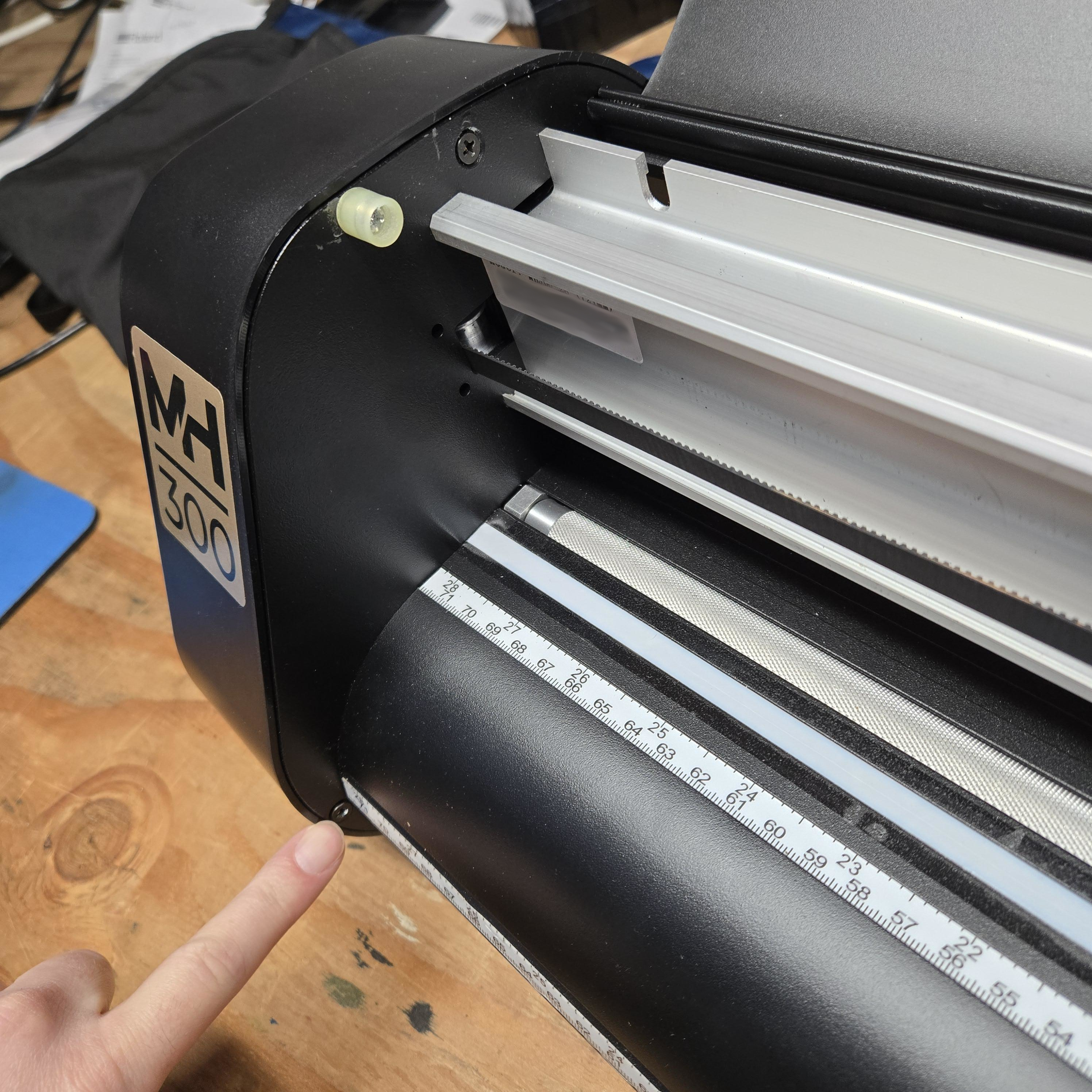
One screw will be just below the front apron, and one is under the hood.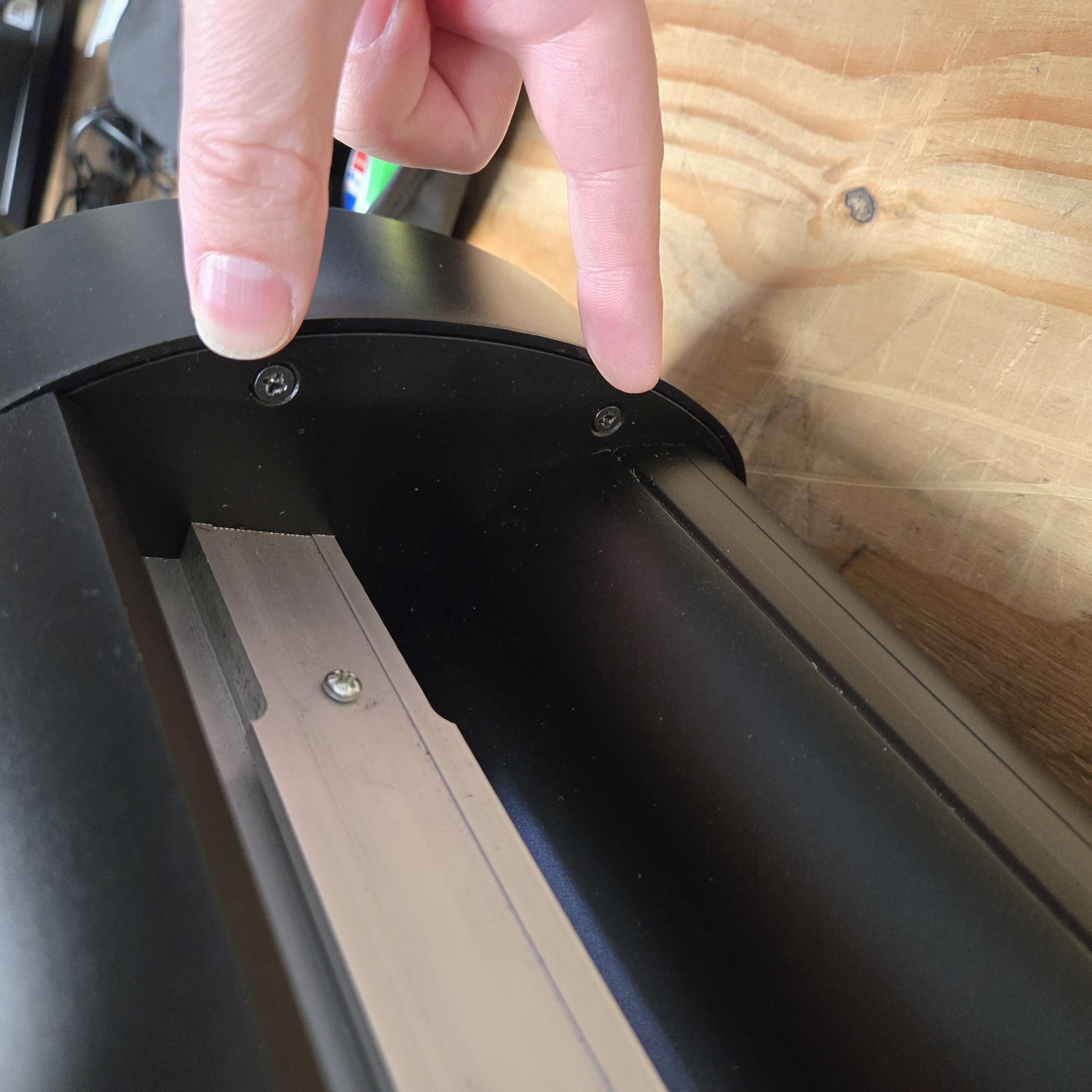 Two screws are found at the back.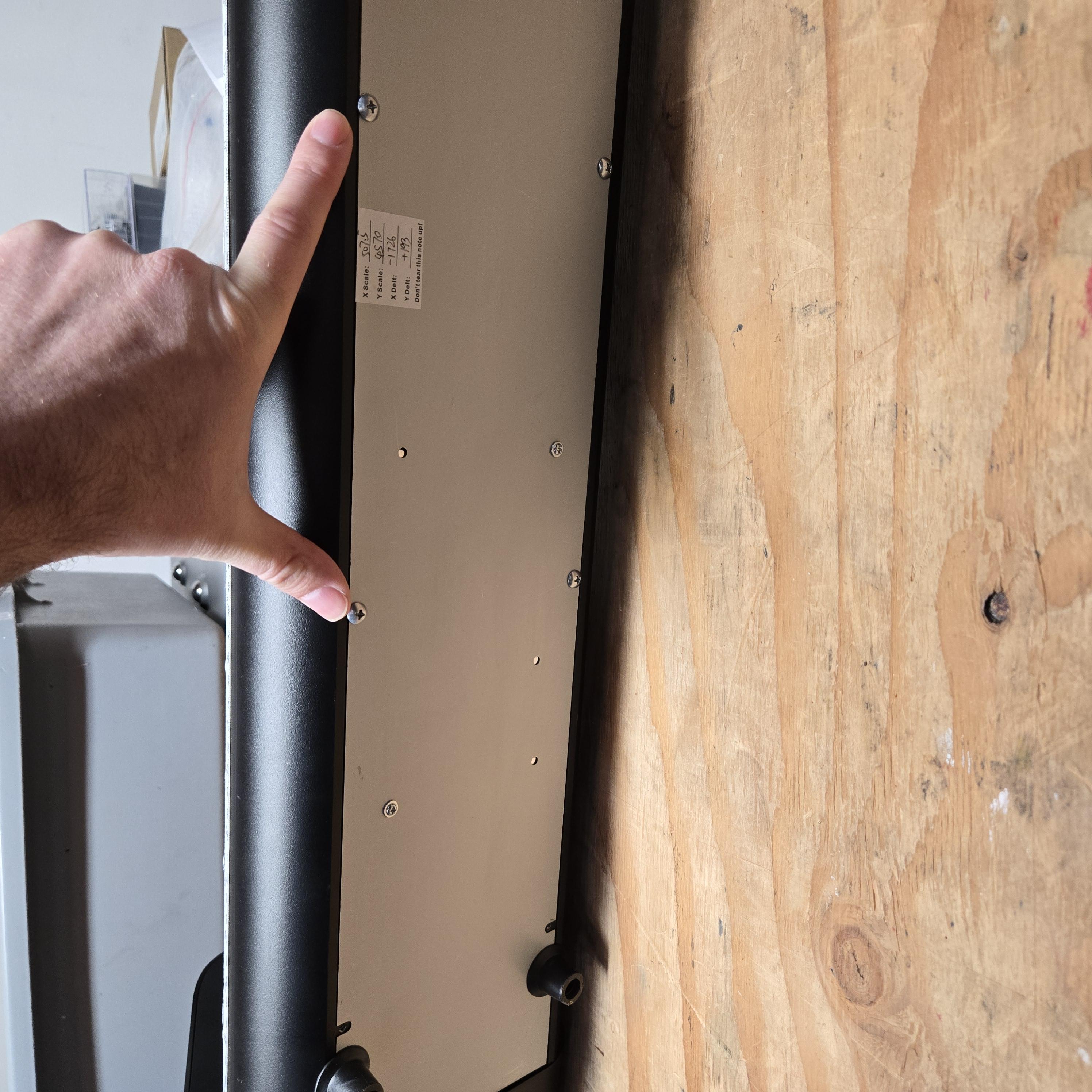
Next, remove the base plate. You will need to take out the screws at the edges of the base
plate and the screws that hold the rubber feet.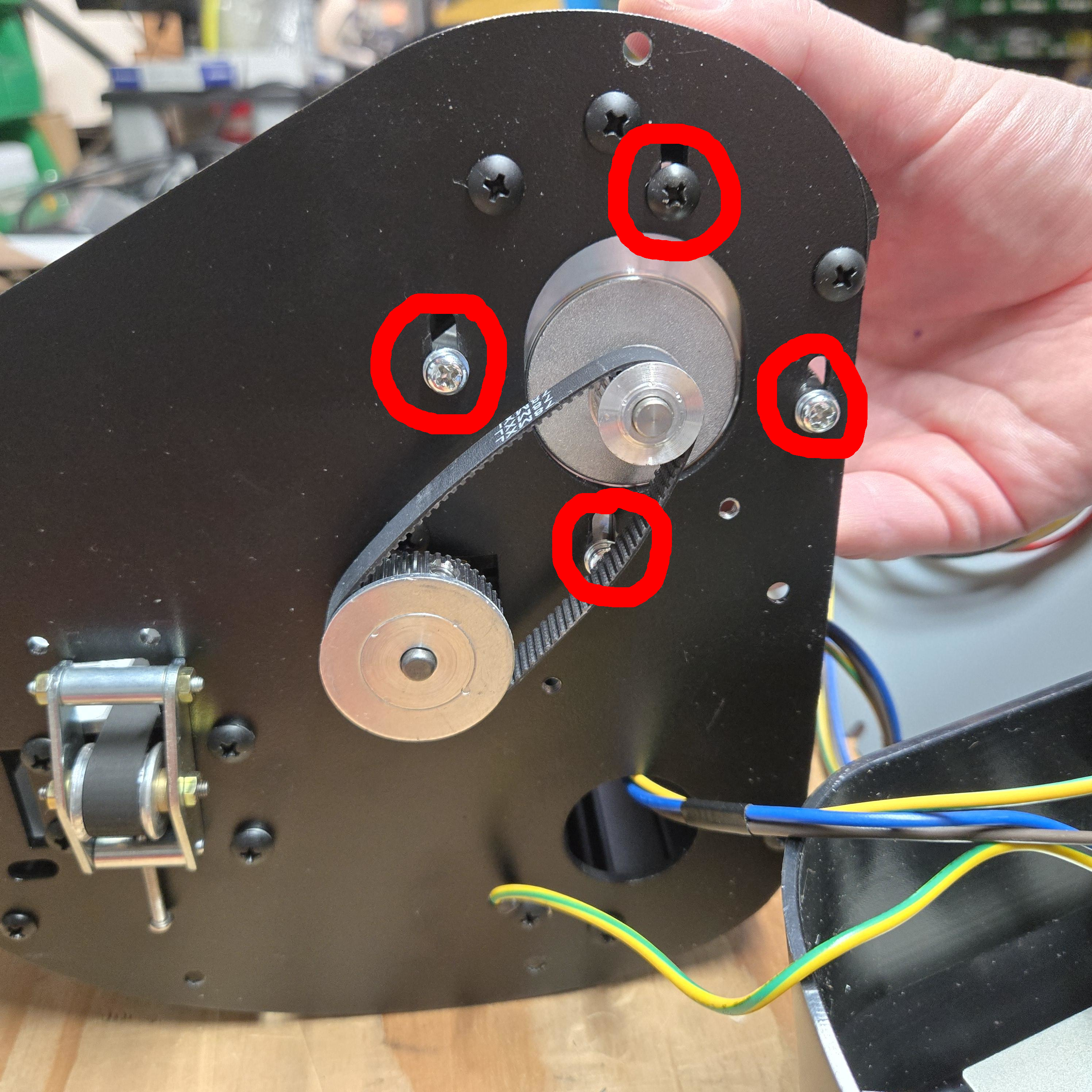 Remove the screws in the four slotted holes to unmount the old motor. The replacement motor will be mounted using the same mounting holes. Attach all four screws to mount the new motor but don’t tighten the screws all the way.
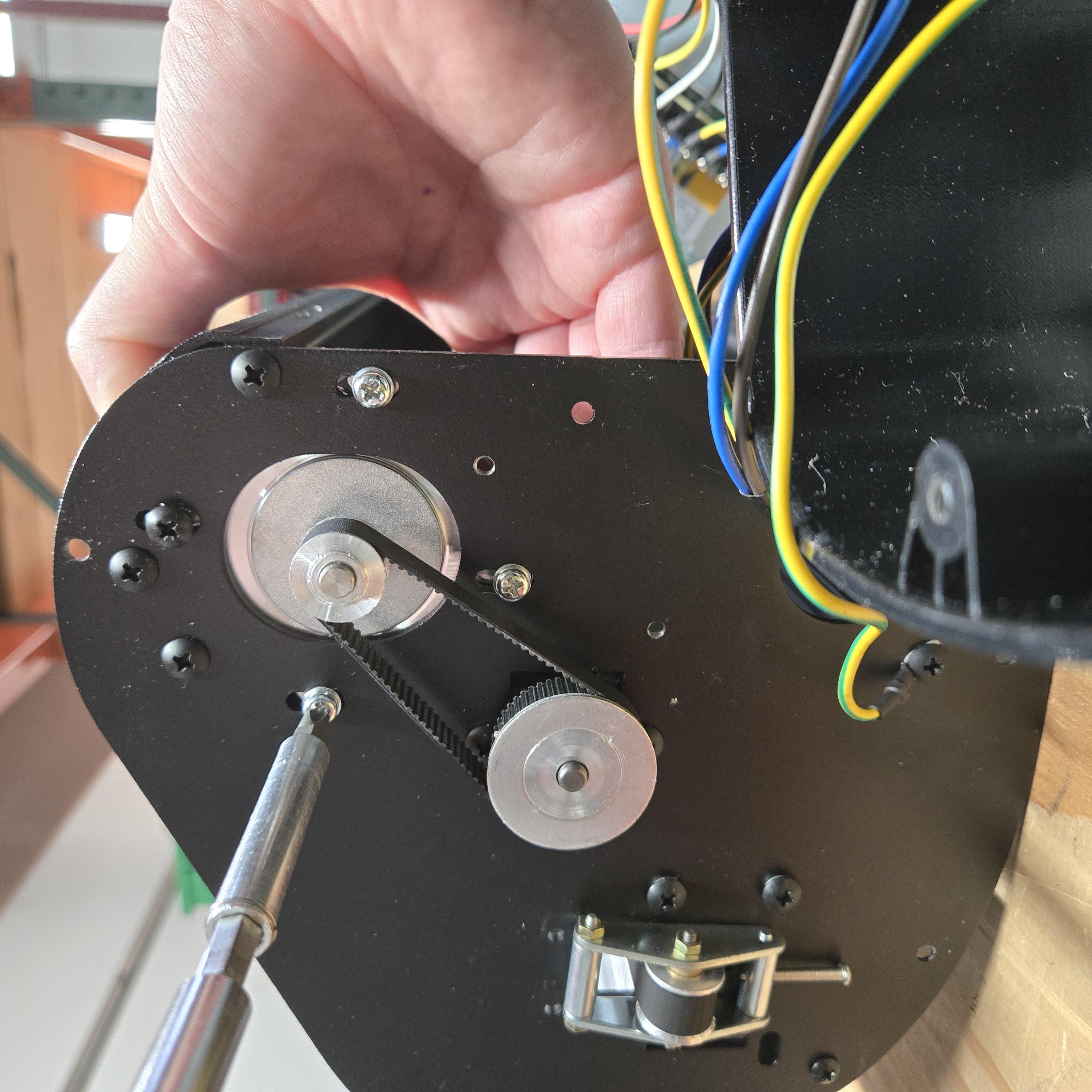 Pull the new motor towards the front of the cutter so that the belt is taught. While holding
the belt taught, tighten the mounting screws.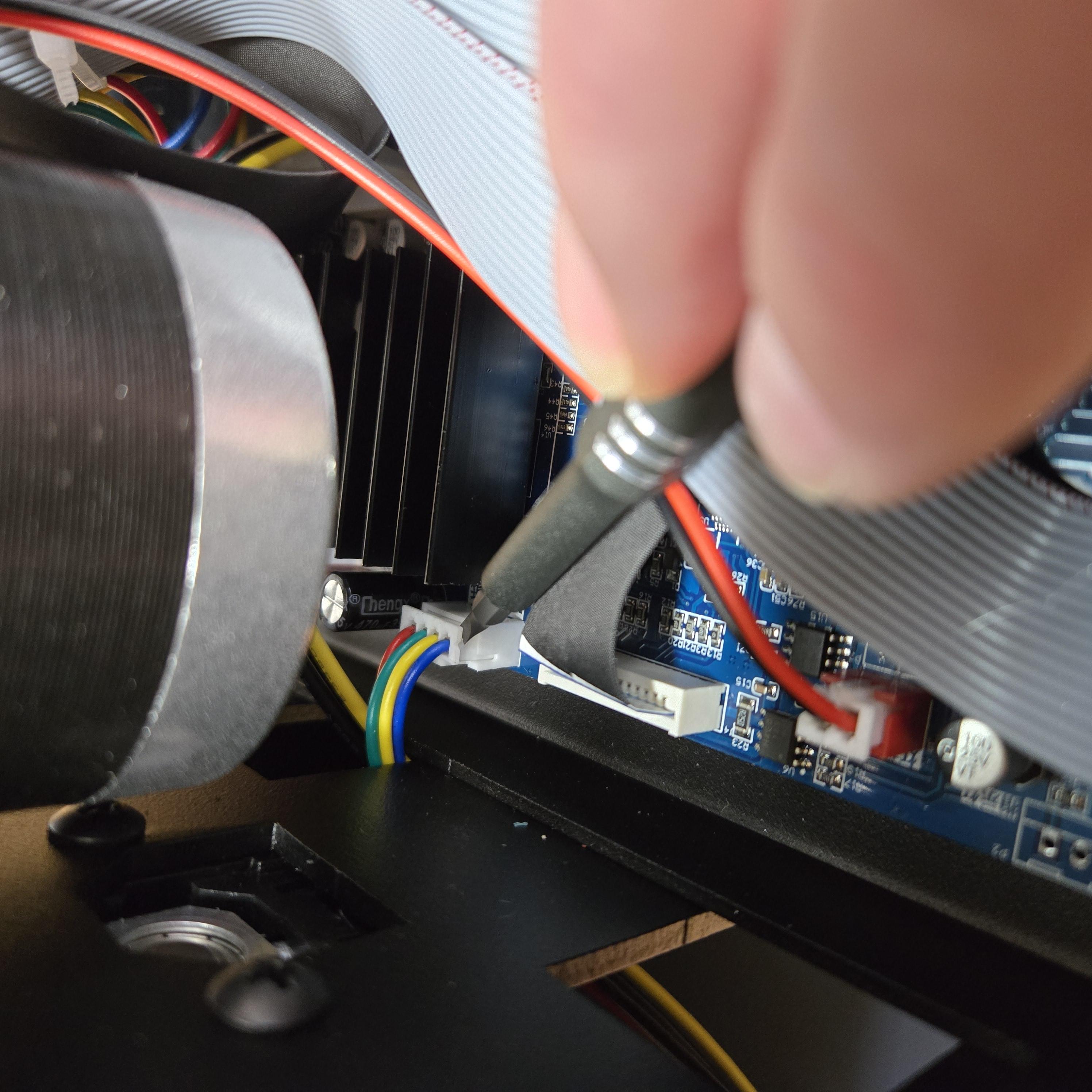 The old motor will need to be unplugged from the motherboard, and the replacement
motor will be plugged into the same port. A small, flathead screwdriver can be used to pry
the connector out of the port carefully. Then use the screwdriver to make sure the new
connector is pushed down firmly.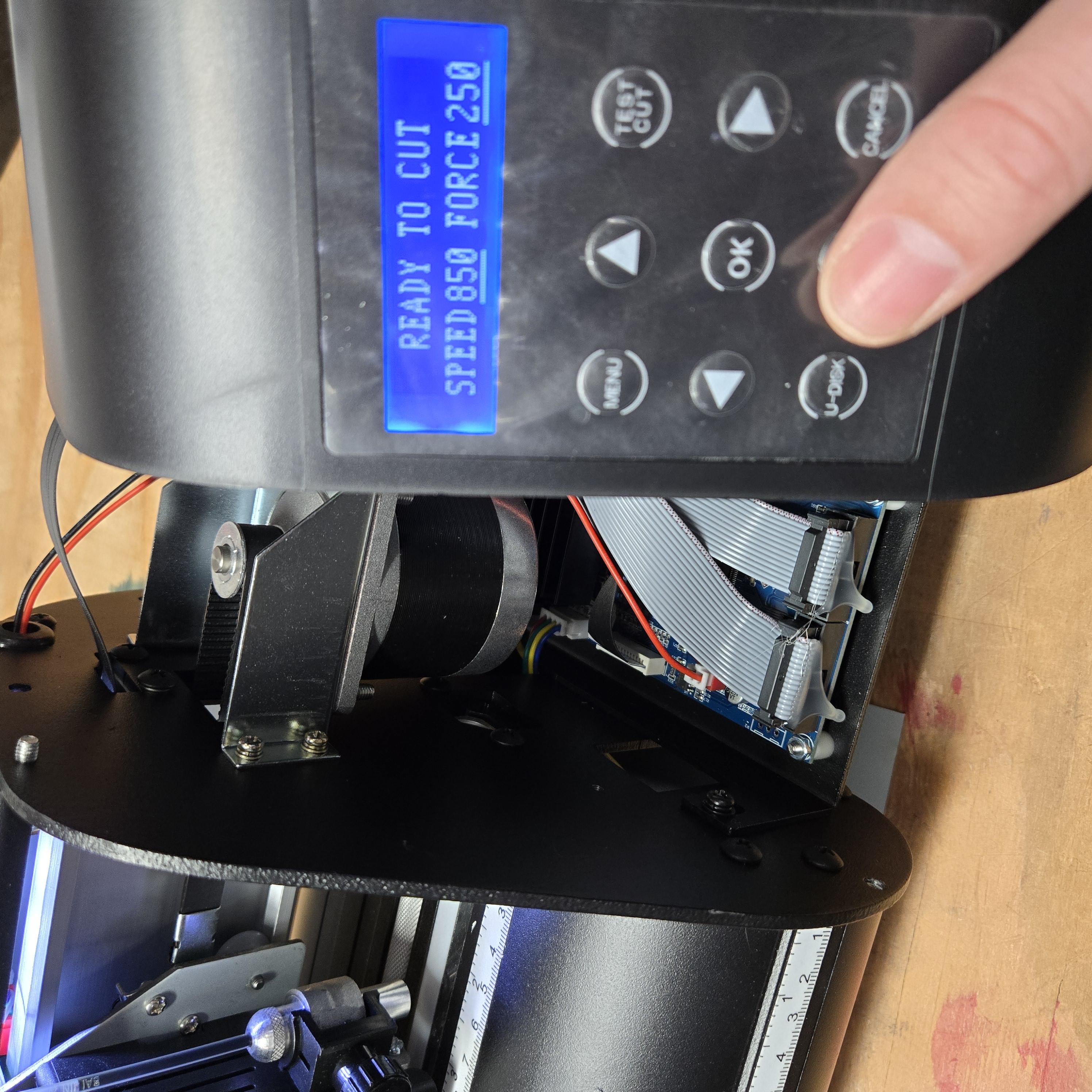
Before inserting all the screws, power on the cutter and use the up and down arrows to
make sure the feed motor is working properly. If all is working then unplug the cutter again.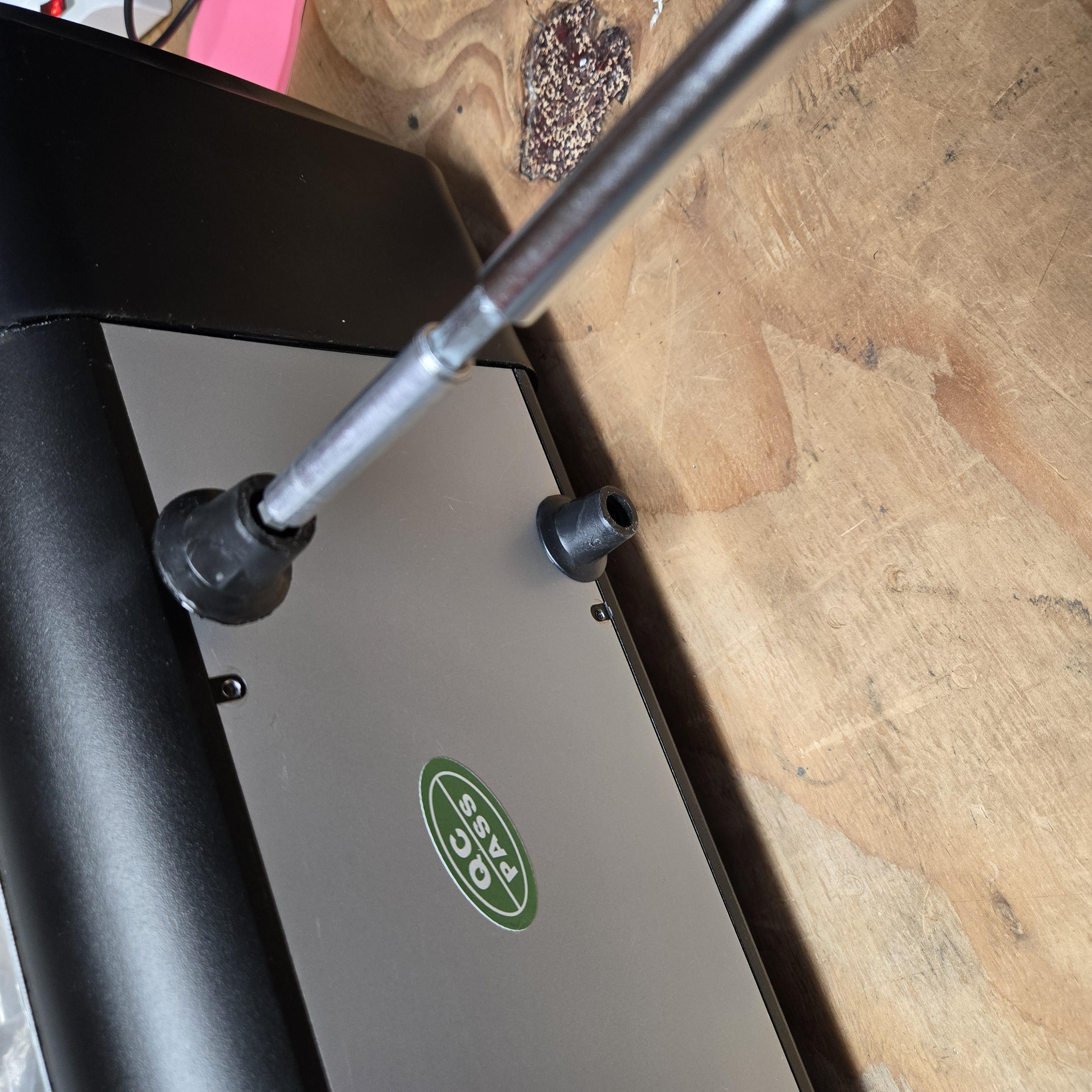 Reattach screws for the base plate and the end caps.
Was this article helpful?
That’s Great!
Thank you for your feedback
Sorry! We couldn't be helpful
Thank you for your feedback
Feedback sent
We appreciate your effort and will try to fix the article